Build a Custom FreeSWITCH ESL Client (Python & Node.js Guide)
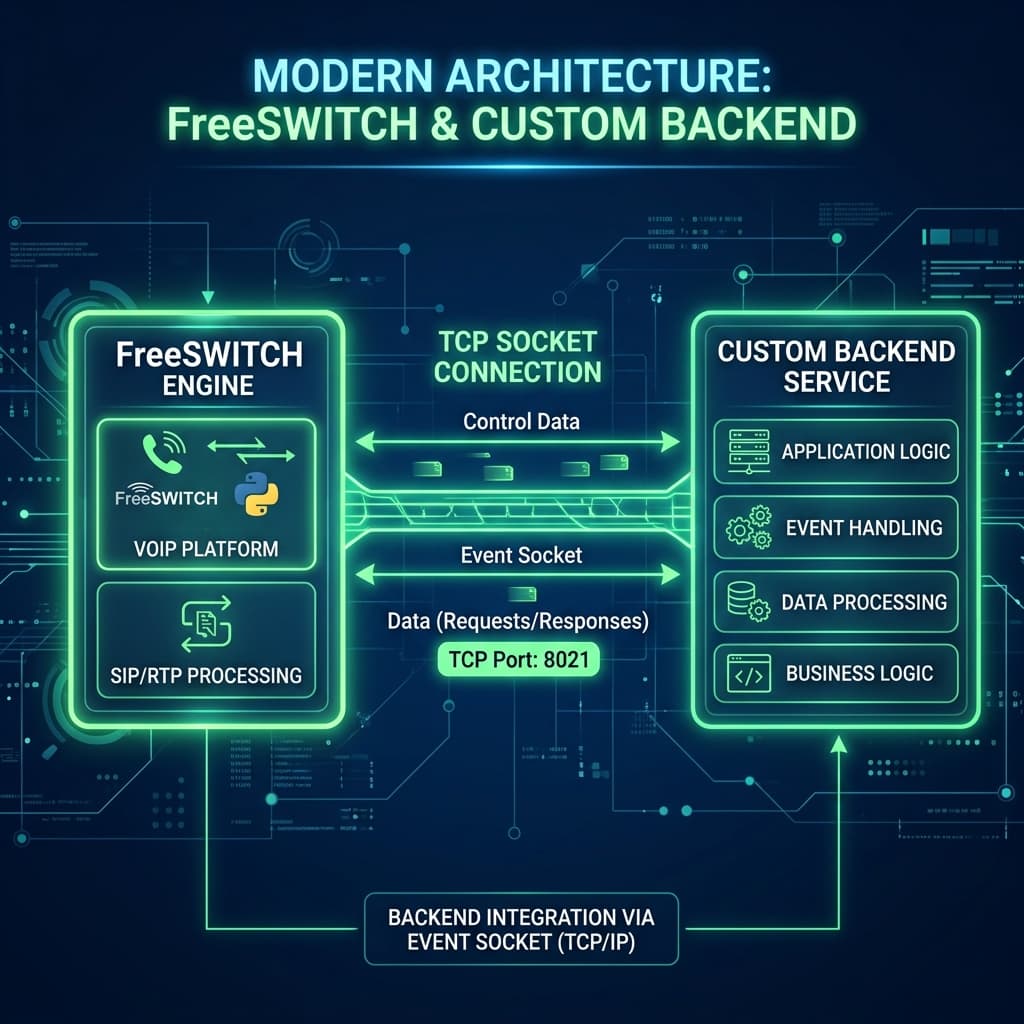
FreeSWITCH is undeniably one of the most robust and flexible telephony engines available today. But to truly unlock its potential, you need to control it programmatically.
While many tutorials rely on third-party libraries (like modesl for Node.js or ESL-python) to interface with FreeSWITCH, there is a cleaner, more lightweight, and dependency-free approach: building your own Event Socket Layer (ESL) client.
In this guide, you’ll learn how to connect FreeSWITCH with pure Python and Node.js implementations using standard TCP sockets. We will listen to ESL events in real-time, print them out, and even show you how to execute operations—all without installing bloated libraries!
🔹 What is ESL in FreeSWITCH?
ESL (Event Socket Layer) allows external applications to interact directly with FreeSWITCH.
Using ESL, you can:
- Listen to FreeSWITCH events in real-time (calls starting, answering, hanging up).
- Control live calls dynamically (e.g., streaming audio, bridging).
- Execute FreeSWITCH API commands programmatically.
When you build your own custom ESL wrapper, you remove the abstraction layer. This gives you absolute control, lower latency, and zero dependency issues when deploying to production.
✅ What We’ll Build
- Configure FreeSWITCH to accept external ESL connections.
- Create native TCP clients in both Python and Node.js to connect.
- Authenticate securely.
- Capture and parse FreeSWITCH events in JSON format.
- Subscribing to specific custom events.
- Send API commands directly to the engine to originate, answer, and hangup calls.
⚙️ Step 1: Enable ESL in FreeSWITCH
🔓 Allow ESL Connections from External Sources
By default, FreeSWITCH listens for ESL connections only on 127.0.0.1 (localhost). To allow an external backend to connect, we need to adjust the listen IP.
Open your FreeSWITCH Event Socket configuration file:
nano /etc/freeswitch/autoload_configs/event_socket.conf.xml
Ensure the configuration looks something like this (change listen-ip to 0.0.0.0 if your script is hosted on another server, but secure it with a firewall!):
<configuration name="event_socket.conf" description="Event Socket">
  <settings>
    <param name="listen-ip" value="127.0.0.1"/>
    <param name="listen-port" value="8021"/>
    <param name="password" value="ClueCon"/>
  </settings>
</configuration>
🔄 Reload the Event Socket Module
Apply the changes without restarting FreeSWITCH by running:
fs_cli -x "reload mod_event_socket"
💻 Step 2: The Core Concept of an ESL Packet
Before writing code, let's understand how FreeSWITCH talks. It uses a simple text protocol over TCP. An ESL message typically consists of:
- Headers: Key-value pairs (like
Content-Type:andContent-Length:), separated by newlines. - Double Newline (
\n\n): Marks the end of the headers. - Body: The actual payload (e.g., JSON event data), depending on the
Content-Length.
💻 Step 3: Native ESL Client
📡 Step 4: Beyond Connection – Real Communication
Connecting is only half the battle. Now that we have our TCP socket established, we need to instruct FreeSWITCH on what to do. The FreeSWITCH ESL provides two main ways to communicate: Commands and API Calls.
1. Subscribing to Specific Events
While you could use event json all to subscribe to everything, in a production environment, you typically only want to listen to specific events to avoid cluttering your network traffic and buffer.
You can pass a space-separated list of events. If you have custom modules (like mod_audio_pipe), you can listen to them using the CUSTOM keyword!
2. Executing API Commands (Originate, Answer, Hangup)
To execute built-in FreeSWITCH API commands programmatically via ESL, prefix your operation with api . The response from FreeSWITCH will return the result of the command execution in the body of the subsequent ESL packet.
Here's how you can wrap common functionalities in your custom client:
By adding an api prefix alongside your native socket writes, your script transforms from a simple passive event listener into a reactive dialplan controller capable of routing and managing live media sessions dynamically!
💡 Why Build Your Own Wrapper?
- Zero Dependencies: You aren't tied to the maintenance lifecycle of npm packages (
modesl) or external PIP libraries. It uses built-in features (netin Node.js andsocketin Python). - Speed & Efficiency: By handling the buffer directly, you avoid the overhead of heavy wrappers (we've actually built our own lightweight, custom TCP client for our product's microservices for this exact reason!).
- Total Customization: You can map custom variables, handle specific payloads like
mod_audio_pipeevents natively, and seamlessly integrate ESL directly into your preferred web frameworks (FastAPI, Express, NestJS, Django) or webhook loops.
🛡️ Advanced Error Handling and Auto-Reconnection
When deploying your custom ESL client in production, network blips and FreeSWITCH restarts are inevitable. A robust client must automatically detect disconnections and attempt to reconnect.
Node.js Reconnect Strategy
In your Node.js implementation, you can wrap the connection logic in a function and listen to the close and error events on the socket:
Python Reconnect Strategy
In Python, a standard while True loop with a try...except block handles socket dropouts elegantly.
Implementing this ensures your custom client remains resilient and always listening for critical telephony events.
🔚 Final Thoughts
FreeSWITCH API + Native Sockets = Maximum Performance and Control 🚀
By speaking the ESL text protocol directly, you gain a massive advantage in understanding how FreeSWITCH behaves under the hood. You can expand this core logic to build everything from dynamic IVRs to AI voice-bot integrations!
Related Resources
Building & Installing FreeSWITCH 1.11.2 from Source on Debian 13 (Trixie)
A comprehensive guide to building FreeSWITCH 1.11.2 with SpanDSP, Sofia-SIP, LibKS, and SignalWire-C from source on Debian 13 Trixie.
Building & Installing FreeSWITCH v1.11.0 from Source on Debian 13 (Trixie)
A comprehensive guide to building FreeSWITCH v.1.11.0 with SpanDSP, Sofia-SIP, LibKS, and SignalWire-C from source. Learn the streamlined installation process on Debian systems without legacy dependencies.
How to Install & Compile FreeSWITCH v1.10.12 (Ultimate Guide)
Step-by-step tutorial to install and compile FreeSWITCH v1.10.12 from source on Debian/Ubuntu. Master dependencies, fix common errors, and deploy like a pro.
Discussion2
Join the conversation
Sign in with your preferred account to comment, reply, and keep the discussion useful for other engineers.
Takes a few seconds. No separate password required.
Thank for you such a wonderful blog post!
cool